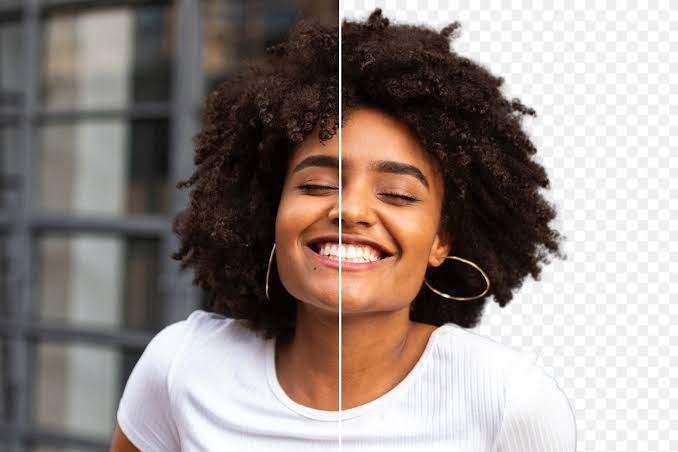
Over the past ten years of producing blog graphics, product shots, and course thumbnails, I have cut out thousands of subjects by hand in Photoshop. Today, AI does that job in seconds. Whether you search for an “image background remover” in English or type “remover fundo de imagem” as millions of Portuguese speakers do, the goal is the same: a clean, transparent PNG without paying for expensive software. Below are the free tools I actually rely on in 2026, along with their honest limitations.
Why a Free Remover Fundo de Imagem Tool Is Worth Using
Students preparing presentations, freelancers building portfolios, and small sellers listing products all need clean cutouts. A good remover fundo de imagem tool saves hours of manual masking with the pen tool. The catch is that “free” rarely means unlimited. Most services cap the download resolution, limit how many images you can process, or add a watermark, so the right choice depends on what you plan to do with the final image.
How I Tested Each Image Background Remover
I ran the same three photos through every tool: a portrait with flyaway hair, a glossy perfume bottle, and a pet against a busy park background. I judged edge quality, free download resolution, speed, and whether the result was usable without further editing. Hair and transparent objects are where cheap AI models usually fail, so those tests separated the strong tools from the average ones.
The Best Free Tools to Remover Fundo de Imagem in 2026
1. Remove.bg: Best for Hair and Fine Edges
Remove.bg remains the benchmark for portraits. It handled my flyaway-hair test better than anything else, and it needs no account for basic use. The downside is resolution, because the free download is a small preview of roughly 625 by 400 pixels. For a social media avatar it is perfect, but for print you will need paid credits. If your only need is to remover fundo de imagem quickly for a profile photo, this is still my first stop.
2. Adobe Express: Best Free Full-Resolution Output
When I need a large, print-ready file, I switch to Adobe Express. With a free Adobe account, it exports at the original resolution with no watermark. Its edges on hair are slightly softer than Remove.bg, yet for product images and flyers the trade-off is easily worth it. You can also drop in a new background immediately inside the same editor.
3. Photoroom: Best for E-commerce Product Photos
Photoroom was built for online sellers, and it shows. The perfume bottle came out clean, and the app offers templates, shadows, and white studio backgrounds that suit marketplace listings. Be aware that free exports may carry a small Photoroom watermark, which you remove by upgrading to its Pro plan.
4. Pixelcut: Best Generous Free Tier
Pixelcut surprised me with how much it gives away. Its free plan delivers HD cutouts without a watermark, which makes it a strong option for anyone processing a batch of images on a tight budget.
5. Pixlr: Best Browser-Based Editor
Pixlr runs entirely in the browser with no installation. Its automatic removal is solid, and because it is a full photo editor, you can refine edges manually afterward. It is ideal on shared or school computers where installing software is not allowed.
6. Canva: Best If You Already Design There
Canva’s background remover is excellent, but the free plan only allows a one-time trial, while unlimited use requires Canva Pro. If you already pay for Pro, it is the most convenient workflow because the cutout lands straight into your design.
Tips for Cleaner Results with Any Background Removal Tool
From experience, the input matters as much as the AI. Use a well-lit photo with clear contrast between subject and background, and avoid heavy compression before uploading. Always zoom in to 200 percent to check for halos around hair or edges before publishing. For transparent objects like glass, expect to do a little manual cleanup no matter which tool you choose to remover fundo de imagem.
Final Verdict
For quick portraits, Remove.bg is unbeatable. For free high-resolution files, Adobe Express wins. Sellers should try Photoroom, while budget-conscious batch users will appreciate Pixelcut. Test two or three of these free image background remover tools with your own photos, because the best one is always the tool that handles your specific images cleanly.
