Unblocked Games: Complete Guide to Browser Games, Categories & Safe Gaming
What Are Unblocked Games?
Unblocked games are online games designed to work on networks with content filters. Schools, libraries, and workplaces often block gaming websites — unblocked games are hosted on sites or URLs that slip through those filters.
Technically, there’s nothing special about the games themselves. They’re normal HTML5 browser games. The “unblocked” part refers to access: these games are reachable where other games aren’t.
The term covers thousands of titles across every genre — racing, puzzle, action, sports, arcade classics, and more.
Why Do Schools Block Games?
It’s not personal — schools block games for practical reasons:
Bandwidth. A classroom of 30 students streaming games can slow the whole network.
Distraction. Games compete with lessons for attention (fair enough).
Security. Old download-based game sites carried malware risks. (Modern browser games don’t have this problem, but filters were built in that era.)
Liability. Schools are responsible for what students access on their networks.
Understanding this helps you stay on the right side of the rules — more on that below.
How Do Unblocked Games Bypass Filters?
School filters typically work by blocking known gaming domains. Unblocked game sites get around this in a few ways:
Lesser-known domains that aren’t on blocklists yet
Google Sites hosting — some unblocked games are hosted on sites.google.com, which schools rarely block entirely
New URLs — when one URL gets blocked, mirrors pop up
Simple page structures that don’t trigger filter keywords
It’s a cat-and-mouse game. A site that works today might be blocked next month, and vice versa.
The Best Unblocked Games to Play in 2026
Racing
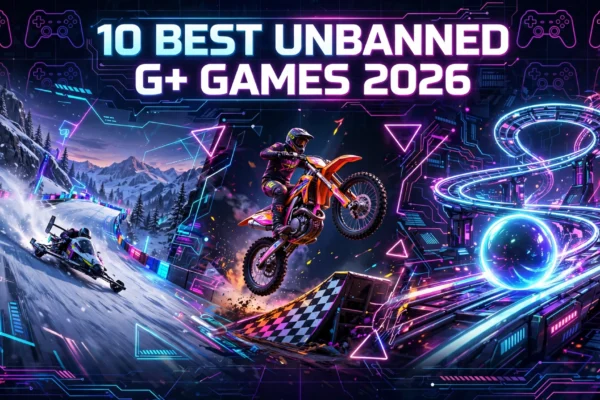
Snow Rider 3D — Sled down endless snowy slopes dodging obstacles. Simple controls, endless replayability. A modern unblocked classic.
Moto X3M — Stunt bike racing with insane tracks. Tests your timing and nerve.
Arcade
Slope — Guide a ball down a neon slope at breakneck speed. The ultimate “one more try” game.
Tunnel Rush — High-speed 3D tunnel dodging. Pure reflex gaming.
Puzzle
2048 — Merge numbered tiles to reach 2048. Deceptively deep.
Cookie Clicker — Build a cookie empire one click at a time. Strangely satisfying.
Action
1v1.LOL — Browser battle game with building mechanics. Competitive and deep.
Sports
Retro Bowl — Retro-style football management and gameplay. A fan favorite.
Classroom-Friendly
Typing games, math puzzles, and word games — games that are actually educational pull double duty: fun AND productive.
Where to Play Unblocked Games Safely
What to Look For
Games that load instantly in the browser. No download prompts, ever. No account required. Clean, organized site layout. HTTPS (padlock icon in the address bar).
Red Flags to Avoid
“Download to play” buttons — real unblocked games never need this. Flash player update warnings — Flash has been dead since 2020; this is always a scam. Requests for personal information. Aggressive pop-ups or redirects. Sites that look completely different from what was advertised.
The Golden Rule
If a site asks you to download something to play a browser game, leave. No exceptions.
Playing Unblocked Games on a School Chromebook
Chromebooks are the most common school device, and unblocked games are built for them:
1. Open Chrome (no other software needed)
2. Go to a trusted unblocked games site
3. Pick a game and click play
4. Use the on-screen controls guide (usually arrow keys/WASD + spacebar)
5. Press F11 for fullscreen
Troubleshooting: Game won’t load? Refresh the page first. Still blocked? That specific URL is filtered — try a different game or site. Laggy? Close other tabs to free up the Chromebook’s limited RAM. No sound? Check the Chromebook’s volume AND the game’s mute button.
Unblocked Games and School Rules: An Honest Talk
Let’s be real for a moment. Unblocked games exist partly to get around school filters. Here’s the honest breakdown:
Playing during free time or study hall? Most teachers don’t mind if your work is done.
Playing during class? That’s disrespectful to your teacher and hurts your own learning. Don’t.
Could you get in trouble? Depends on your school. Some schools just block the site; others track usage. Know your school’s policy.
The smart approach: Use unblocked games as a reward AFTER work, not a distraction DURING it. The games aren’t going anywhere.
For Parents: Are Unblocked Games Safe?
The short answer: browser-based unblocked games are among the safest online gaming options, because no downloads means no malware from game installers (the #1 risk of old gaming sites), no accounts means no personal data collected (on reputable sites), and simple games means age-appropriate content in most cases.
What to watch for: Make sure your child is on the real site, not a copycat with aggressive ads. Talk about not clicking pop-ups or download buttons. Younger kids should stick to known, curated sites. Check the games they’re playing occasionally — most are harmless, but content varies.
For Teachers: Using Unblocked Games in Class
Smart teachers don’t fight unblocked games — they harness them. Educational games (math, typing, vocabulary) work as lesson supplements. Reward time for finished work — 10 minutes of game time motivates. Brain breaks — a 5-minute game between intense lessons resets focus. Teach digital citizenship — use the moment to discuss responsible internet use.
The key: direct the energy instead of just blocking it.
Unblocked Games vs Other Gaming Options
vs Mobile games: Unblocked games need no installs and no app store. Better for school devices.
vs Console/PC gaming: Obviously less powerful, but free and instant. Different purpose.
vs Flash games (RIP): Modern unblocked games use HTML5 — faster, safer, works on everything. Flash died in 2020; any site still mentioning it is a scam.
The Future of Unblocked Games
Browser gaming keeps getting better. HTML5 games in 2026 look and play better than ever, Chromebooks keep improving, and the unblocked games community keeps growing.
What won’t change: the core appeal. Free, instant, no-hassle gaming that works anywhere. As long as schools have filters, there’ll be unblocked games.
Frequently Asked Questions
Are unblocked games legal?
Yes. Playing free browser games is completely legal. (Whether your school allows it is a separate question.)
Why is a game blocked at my school but works at home?
Your school’s content filter blocks that specific URL. Home networks don’t have those filters. Different schools block different sites.
Can unblocked games give my Chromebook a virus?
Browser games that require no downloads cannot install malware — there’s nothing to install. The risk comes from clicking malicious ads or fake download buttons, not from the games themselves.
Do I need to download anything to play unblocked games?
No. Ever. If a site says you need to download something, it’s not a legitimate unblocked games site.
What’s the best unblocked game for school?
It depends on what you like, but Slope, 2048, and Snow Rider 3D are great starting points — they load fast, work on Chromebooks, and are easy to pick up.
Can teachers see if I’m playing unblocked games?
Possibly. Many schools use monitoring software that shows student screens or tracks browsing. Assume yes and act accordingly.
Are there unblocked games that are actually educational?
Yes! Typing games, math puzzles, vocabulary games, and logic puzzles all build real skills. These are the easiest to justify to teachers and parents.
Will unblocked games work on my phone?
Most modern ones will — they’re HTML5-based. Touch controls work for many games, though some play better with a keyboard.
Final Thoughts
Unblocked games fill a simple need: fun, free gaming that works anywhere. Whether you’re on a school Chromebook between classes or just love the simplicity of browser games, there’s a whole world of titles waiting.
Play smart, stay safe, respect the rules — and enjoy the games.